> For the complete documentation index, see [llms.txt](https://docs.adyntel.com/llms.txt). Markdown versions of documentation pages are available by appending `.md` to page URLs; this page is available as [Markdown](https://docs.adyntel.com/integrations/extracting-linkedin-page-id.md).
# Extracting LinkedIn page id
You can find the LinkedIn page id needed for the LinkedIn endpoint by enriching the company in Clay.
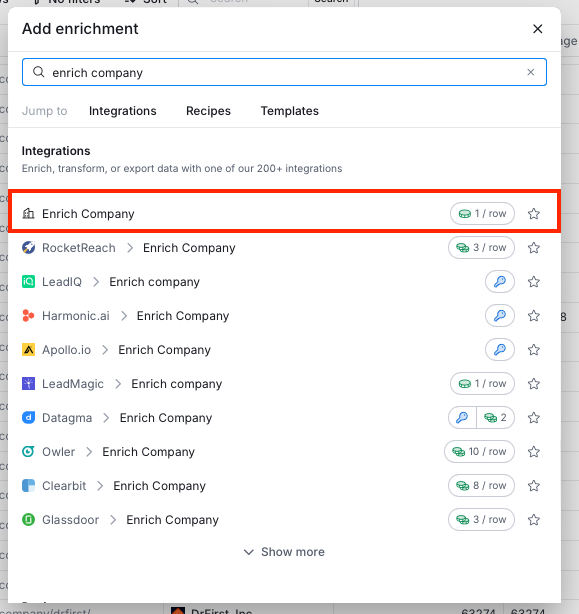
You can do that by going to "Add enrichment" and then searching for "Enrich company."
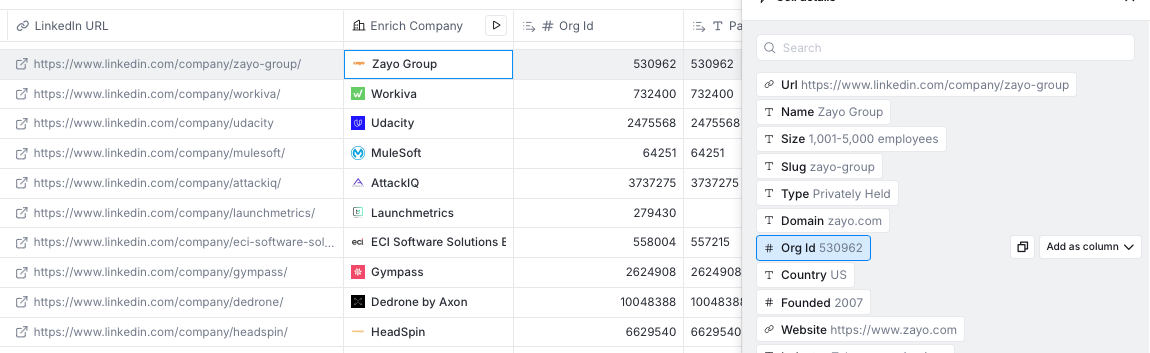
Once the column has ran, it should look like this. You need to locate the Org Id field and add is as a column.
Then you can use that new column containing the "Org Id" value as a varible for the "linkedin\_page\_id" parameter.